PSTools
PSLoggedon
PSLoggedon is a tools designed
to determine who is using the resources of a remote computer.
Download PSTools from
dosc.microsoft.com
Unpack the zip archive into some folder on your machine. For example
C:\Users\eth1.ru\Software\PSTools
There will be a bunch of .exe files
We will concentrate on PsLoggedon
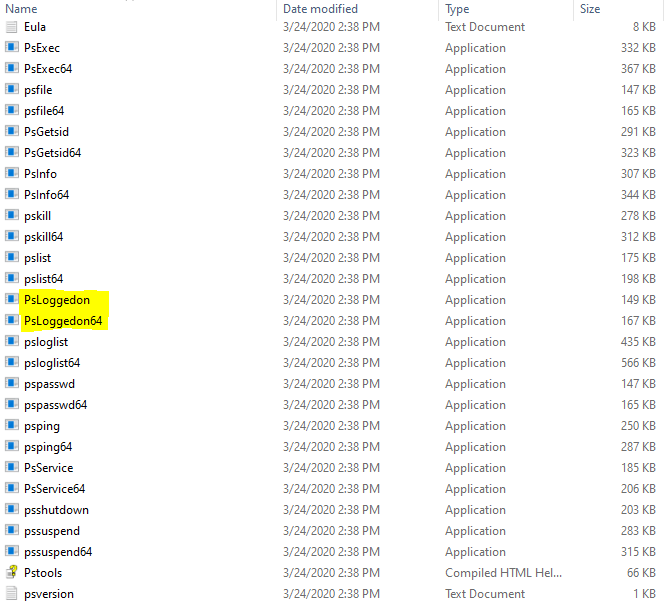
Add this address to the PATH Environmental Variable
If you are not sure how to do it you are welcome to read our
article
«System Environmental Variable PATH»
When PATH is updated you can test it by writing pslogged on in your cmd
psloggedon
C:\Users\eth1.ru>psloggedon PsLoggedon v1.35 - See who's logged on Copyright (C) 2000-2016 Mark Russinovich Sysinternals - www.sysinternals.com Users logged on locally: 3/24/2020 2:56:28 PM Domain\aredel.com No one is logged on via resource shares. C:\Users\eth1.ru>
In the example above we can see that there is only one
local user with username aredel.com logged in
Normally it will give you your username + other usernames of anyone who is
logged in locally or remotely
If you need to check remote PC logged users use \\hostname
C:\Users\eth1.ru>psloggedon \\remote-host
PsLoggedon v1.35 - See who's logged on Copyright (C) 2000-2016 Mark Russinovich Sysinternals - www.sysinternals.com Users logged on locally: 3/20/2020 1:44:30 PM Domain\user9173182 3/24/2020 2:28:50 PM Domain\user9273579 Users logged on via resource shares: 3/24/2020 5:24:23 PM Domain\user9373579 C:\Users\eth1.ru>
If you are in a work network you can check the real name of your colleague by entering this username to MS Teams
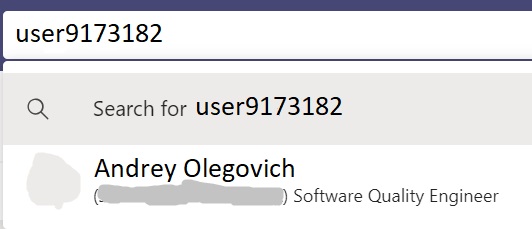
And ask this colleague to do something with the machine
Article author: Andrei Olegovich
| AREDEL.COM | |
| PSTools |