ZPL FAQ
How to write into user memory
^RFW,H,0,4,3 - specifies memory block 3. This is the fifth parameter of the command ^RF
Description of commands on the official Zebra website:
ZPL.
For clarity commands, I will highlight in bold, I will try to make the parameters in color.
I will leave the input text and transmitted variables as usual.
The simplest example.
| Command | Explanation |
|---|---|
| ^XA | Start of label |
| ^RFW,H,0,4,3^FD{SERIAL}^FS | RFID Write ,Hexadecimal, Starting with block 0, 4 bytes (32 bits), memory block number 3 (User memory), Field with serial that is coming from server |
| ^RFR,H,0,4,3^FN1^FS^HV1 | RFID Read, Hexadecimal, Starting with block 0, 4 bytes, memory block number 3, Field Number 1, Field Separator, Host Verification 1 (data is sent back to sender) |
| ^XZ | End of label |
Text across labels
Short: ^A0B^FDTEXT
Details:
How to print text along the tag can be viewed here
But what if we had to make an inscription at an angle of ninety degrees?
Command ^A is responsible for this, specifically its second parameter.
If we can not specify parameters for horizontal text, then
Now you need to specify the font and set the second parameter
B
^ADB
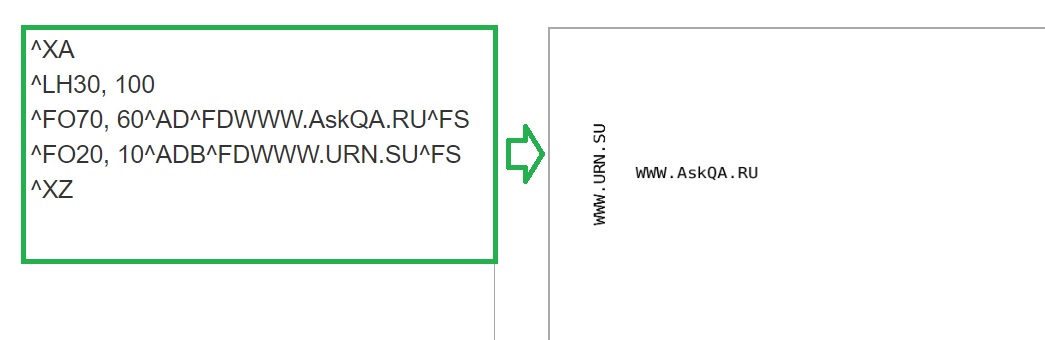
Write one address along the tag and the second across:
^XA
^LH30,
100
^FO70,
60^AD^FDWWW.AskQA.RU^FS
^FO20,
10^ADB
^FDWWW.URN.SU^FS
^XZ
The result will be something like this:
How to change font size
In short: ^A,5040^FDTEXT
Details:
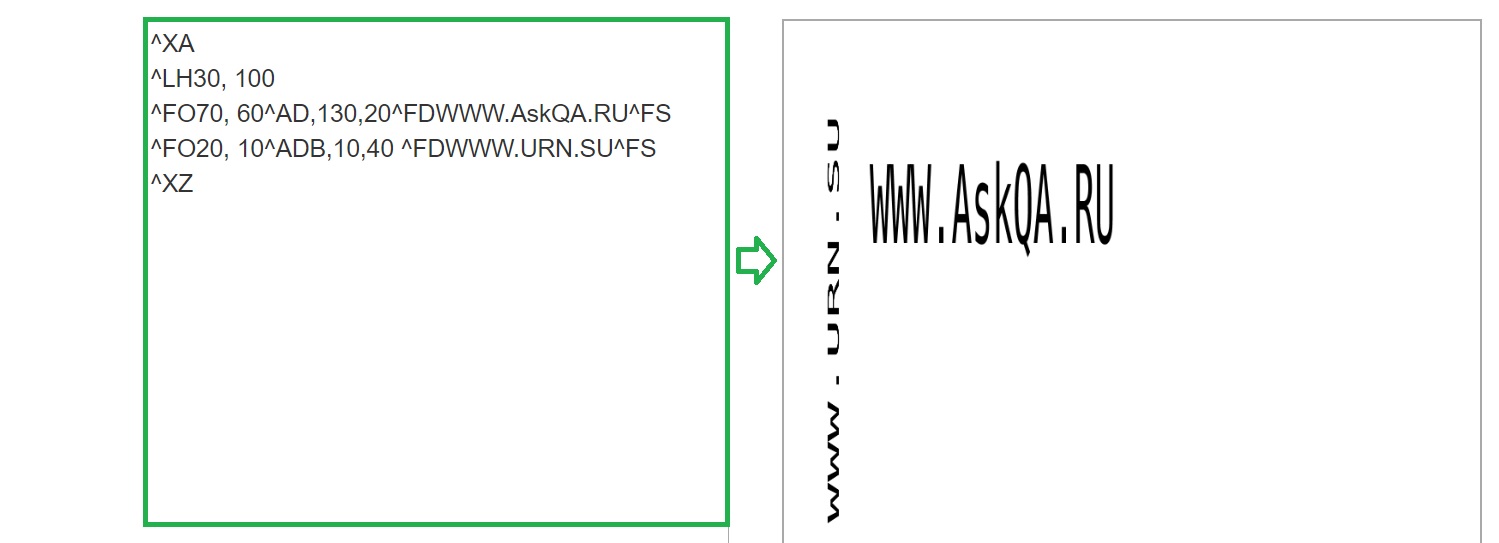
Let's take our previous one. example and add command parameters
^A
For example, instead of ^AD write ^AD,
130,20
^XA
^LH30,
100
^FO70,
60^AD,
130,20^FDWWW.AskQA.RU^FS
^FO20,
10^AD
B,10,40
^FDWWW.URN.SU^FS
^XZ
ZPL preview
ZPL simulator for viewing layout files
Article author: Andrei Olegovich
| RFID | |
| A example ZPL | |
| ZPL FAQ | |
| ZPL Coding | |
| ZPL encoding |